
Focus around your day
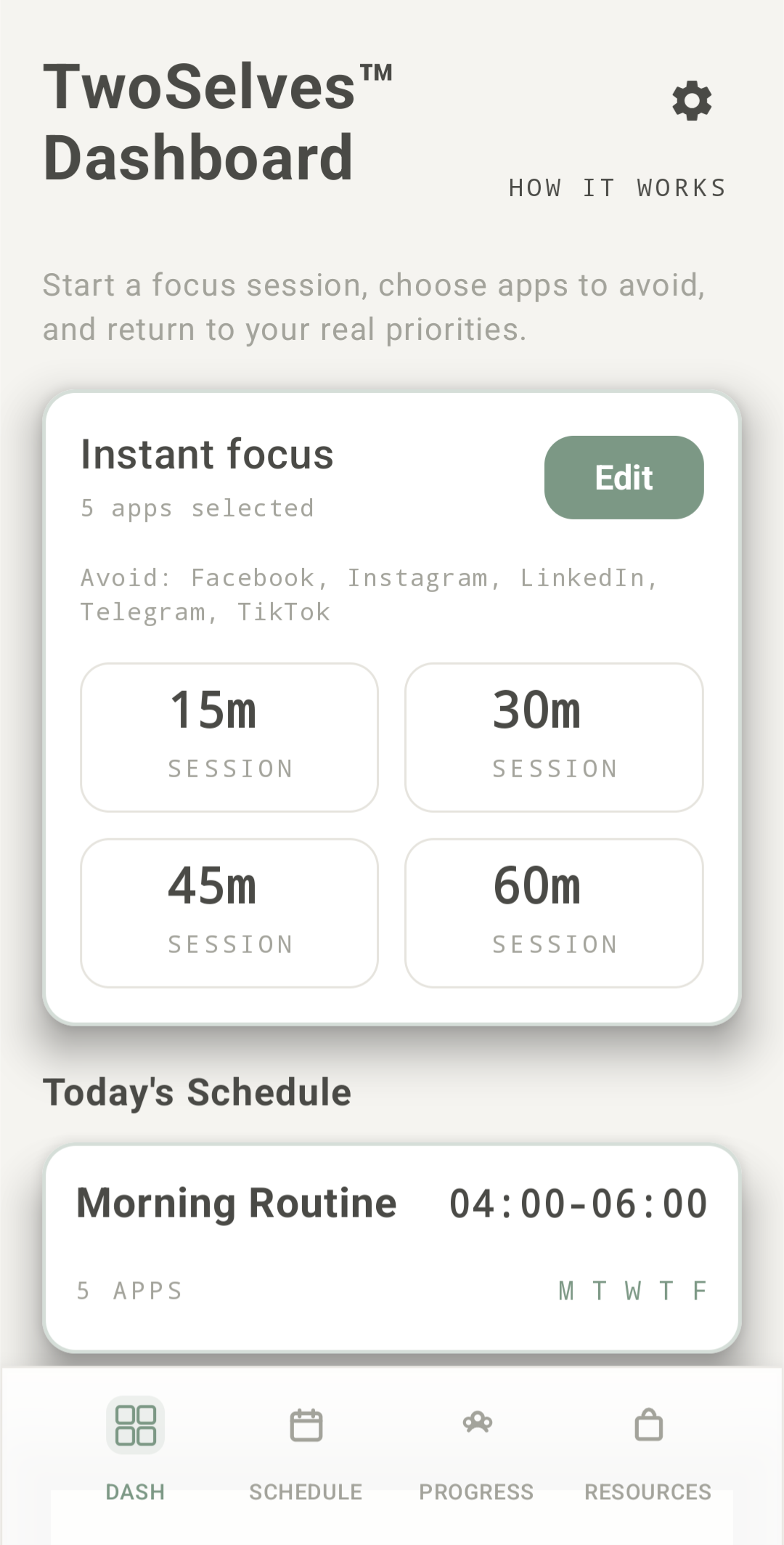
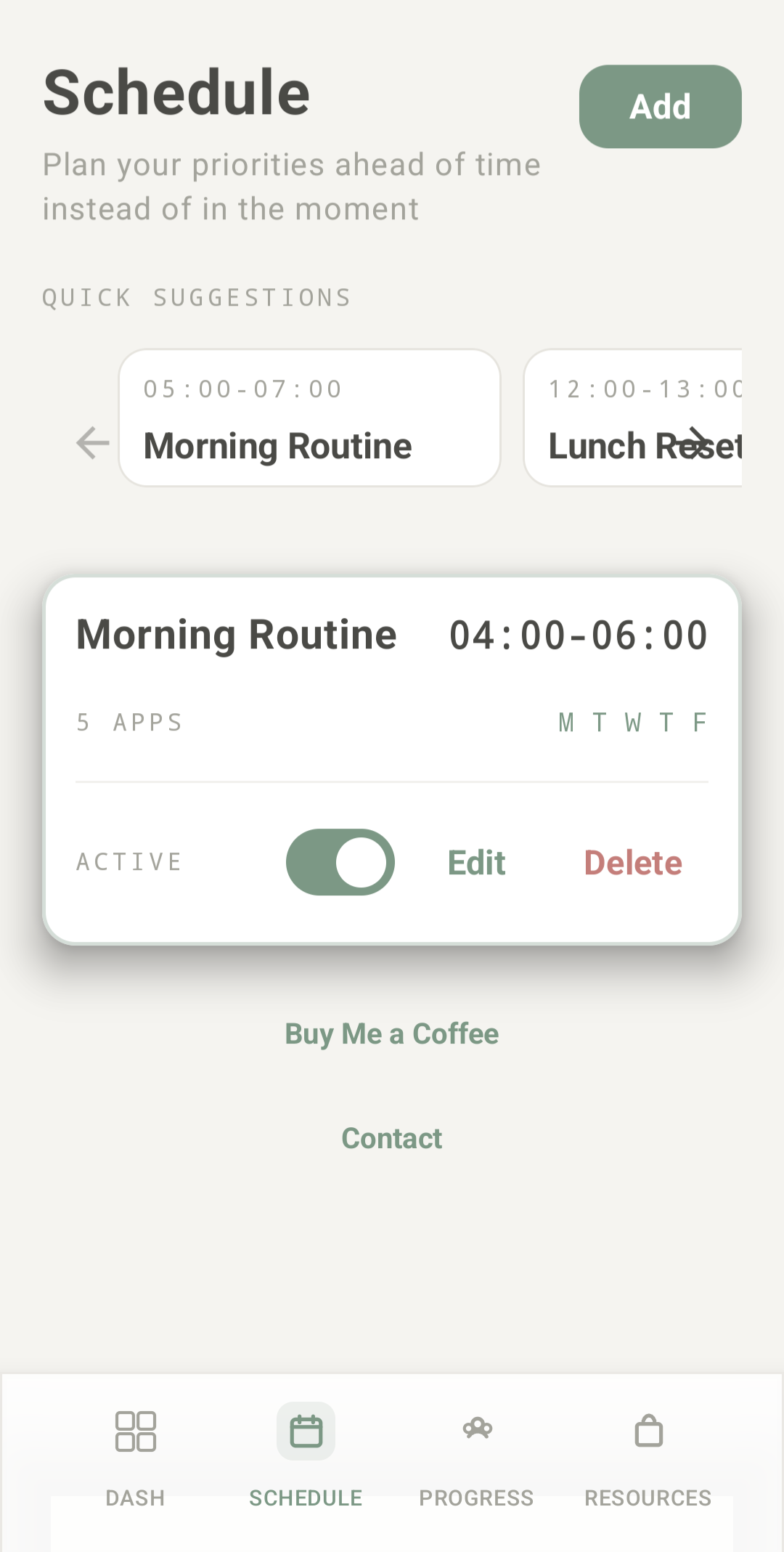
Start instantly or save recurring schedules. Choose the apps and times that fit a study hour, a work session, an evening with family, or your bedtime routine.
Available for Android
Protect your future self from your present impulses.
TwoSelves blocks the apps that pull you off track. Start a focus session now or schedule time for work, study, family, or rest.
Free core features · No account · No subscription
Scan with your Android phone to download.
A practical system for following through
You know what you planned to do. TwoSelves adds a boundary for the moment a distracting app starts to look more appealing.
Select the apps you want to hold aside.
Start an instant session or save a recurring schedule.
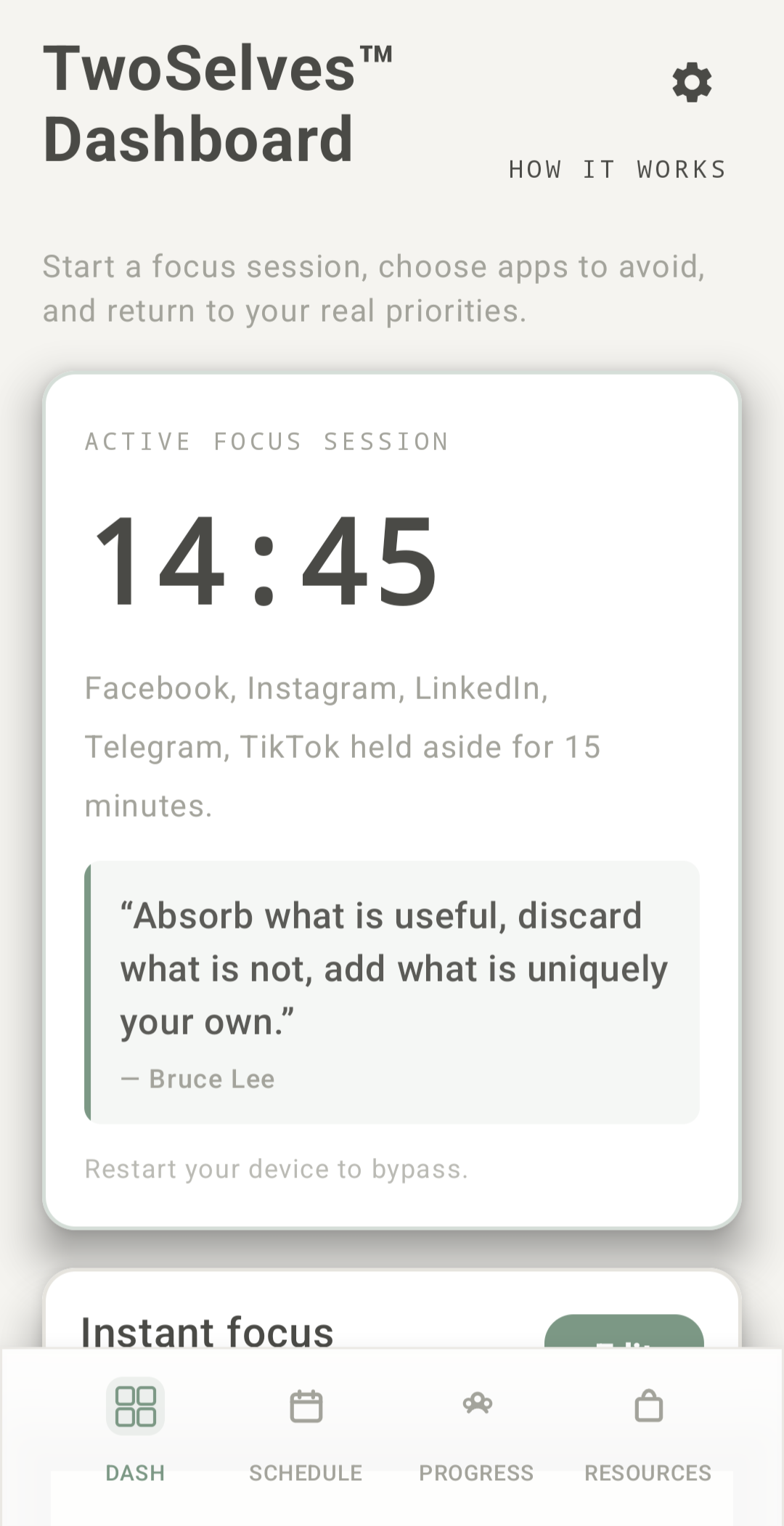
Opening a selected app during focus returns you to TwoSelves.
A look inside TwoSelves
Explore the actual Android app, from choosing distractions to seeing your progress.
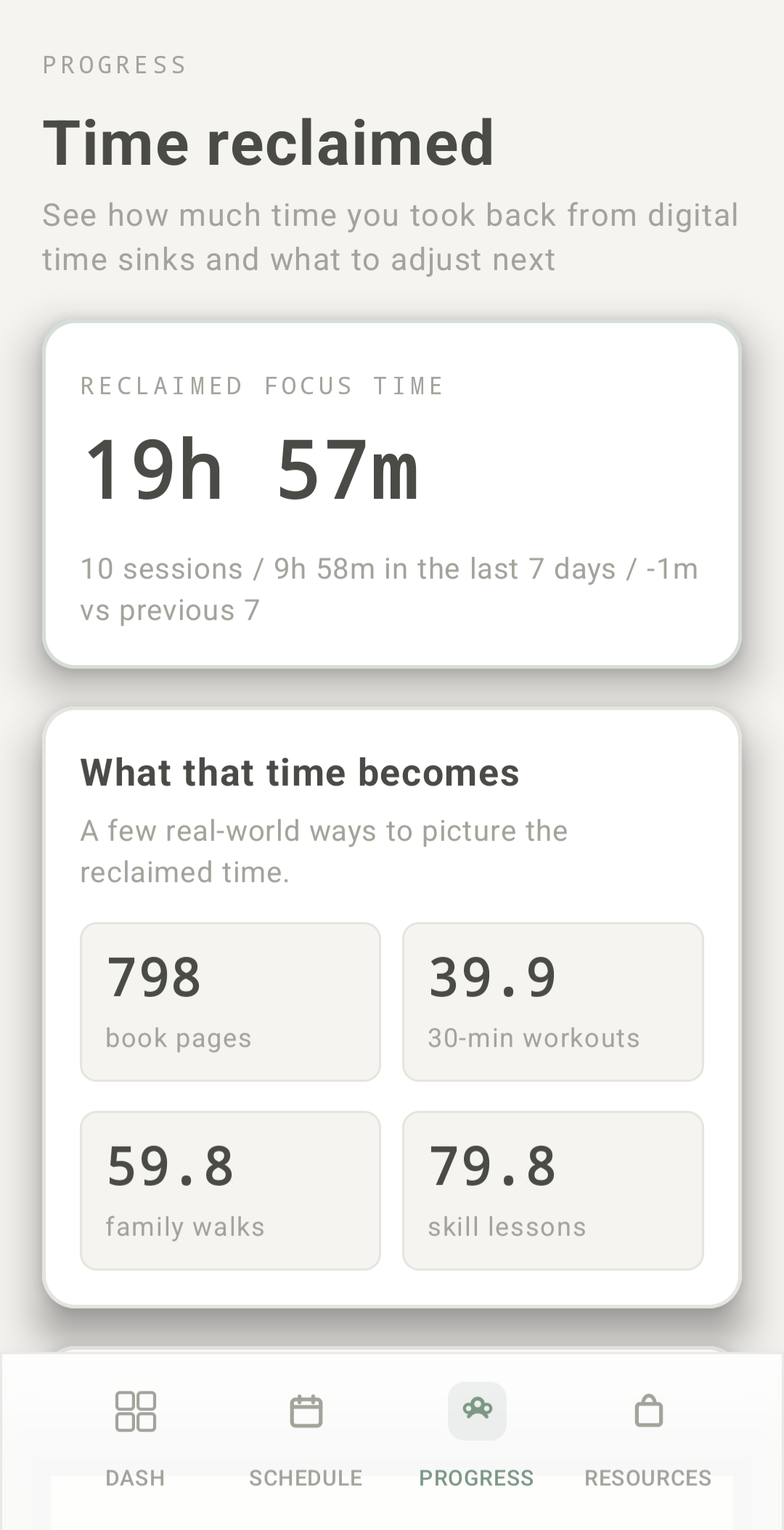
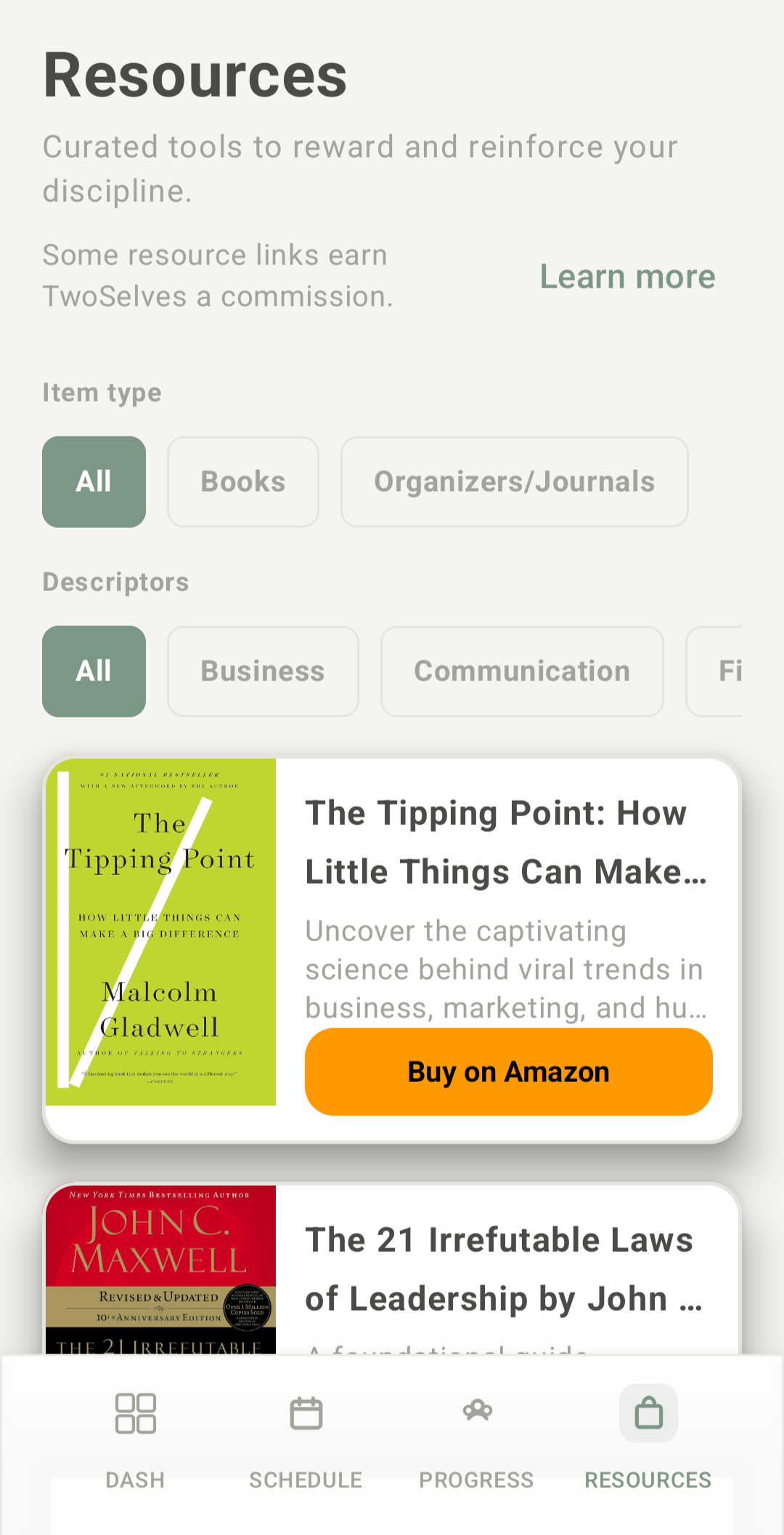
Actual Android app screens. Screens are shown below.Select a screen to explore.
Structure for everyday life
Start instantly or save recurring schedules. Choose the apps and times that fit a study hour, a work session, an evening with family, or your bedtime routine.
Review recent app usage with 7- or 14-day totals, daily averages, and a daily graph of available history. Use that information to choose the distractions you want to hold aside.
Review completed focus sessions and total focus time. Let each session be a reminder that you followed through on a plan.
Browse curated books and resources by topic and item type. Find an idea for the reading, learning, or personal growth you want to make time for.
Some Resources links are affiliate links. We may earn a commission from qualifying purchases. Purchases are optional.
Core app blocking is free. Supporter adds helpful-app redirects and customizable Quick Picks.
No subscription. View the current price in the app before purchasing.
Choose one helpful installed app to open when you try a blocked app. Turn the impulse to scroll into a cue to read, pray, plan, or train.
Use and customize Quick Picks for common distraction groups, plus one custom group. Fine-tune the individual apps selected for your focus sessions.
Small choices add up
Choose an amount of daily scrolling you would like to redirect. Picture what you would do with that time.
This projection multiplies your daily goal by 7 or 365 days. It is not measured time saved or a guaranteed result. Your slider choice stays in this page.
Why protect your attention?
Digital habits can crowd out plans for the rest of life. Research helps explain why setting boundaries is worth considering.
of U.S. adults say they spend too much time on their smartphone.
Pew Research Center · 2026 ↗Average daily social media use among global internet users in GWI data reported by DataReportal in 2025.
DataReportal / GWI · 2025 ↗of U.S. adults say smartphone use hurts the amount of sleep they get. This reflects their reported experience.
Pew Research Center · 2026 ↗Depression symptoms were about 2.5 times as common among U.S. teens ages 12–17 reporting 4+ hours of daily screen time outside schoolwork, compared with less than 4 hours, after demographic adjustment. Association, not proof of causation.
CDC / NHIS–Teen · 2025 ↗These findings describe broader digital habits. They are not studies of TwoSelves.
A couple of practical questions
App blocking, instant sessions, recurring schedules, recent app-usage summaries, focus history, and browsing Resources. Supporter is optional.
Yes. You choose the apps to block for focus. Leave the apps you need outside that selection.
Begin with one session
Choose your distractions. Set your time. Begin with one session.
Android · Free core features · Optional one-time Supporter upgrade